
Semble's NHS GP directory allows you to conveniently search for a GP practice which can be used to add as a relationship to a patient's profile for information purposes.
The GP Directory pulls data from multiple sources (NHS ODS, NHS website, Scottish Open Data and NHS Inform) - these are general contact databases and not set up for the purpose of sending health data.
Note: We strongly recommend you verify all contact information before sharing any special category patient data.
The GP directory can be used to find the contact details for a GP practice, but it is not necessarily the correct contact information for sending health data to that GP practice.
In this article:
Search Semble's NHS GP directory
Linked articles:
Search Semble's NHS GP directory
You can search Semble's NHS GP directory at any time from the Contacts page:
1. Click Directory at the top of the page.
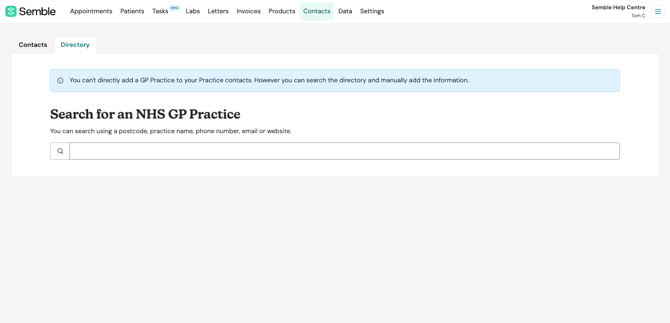
2. Start typing into the search box. As you type, results will begin to appear.
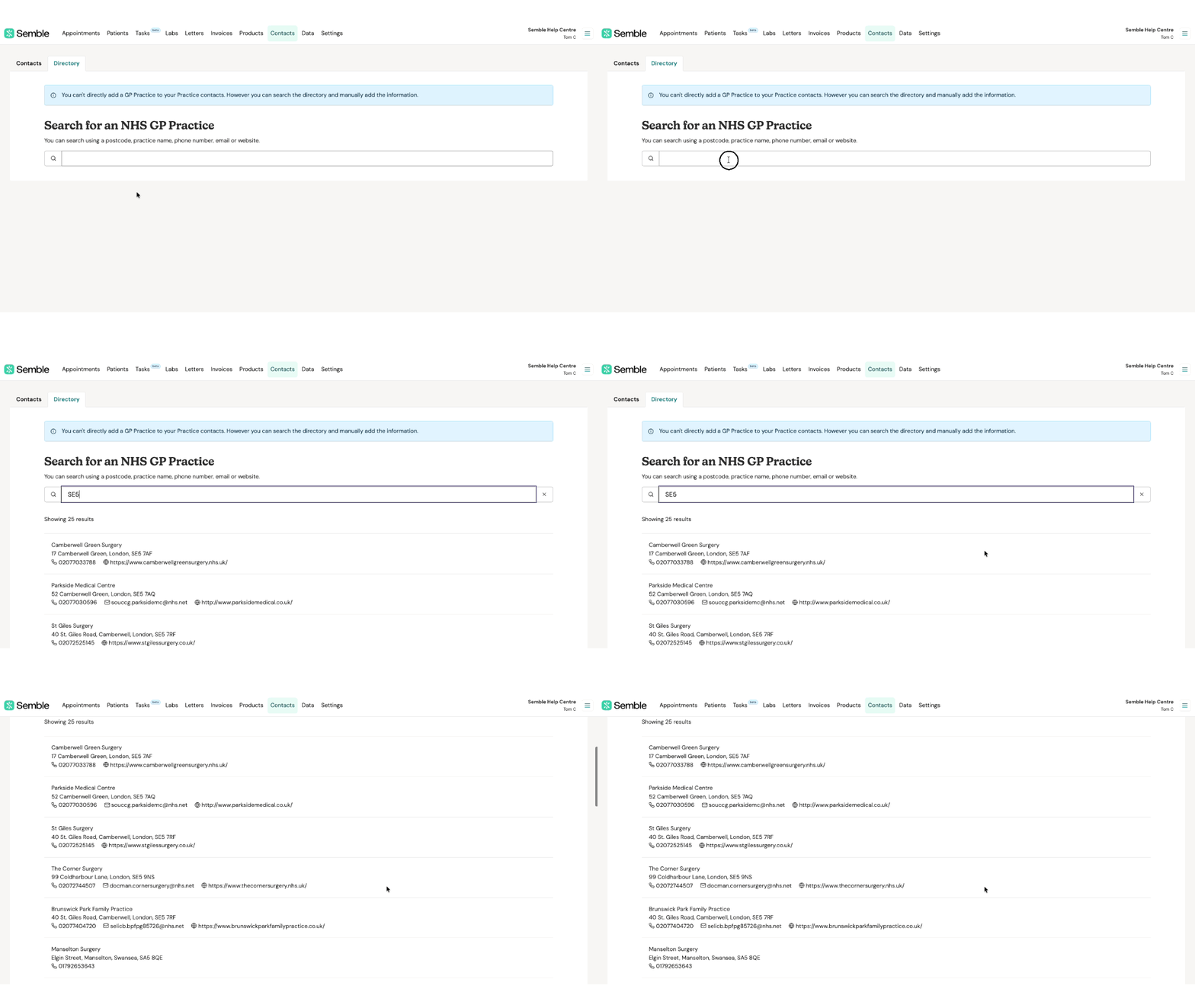
You are able to search using postcode, practice name, phone number, email or website.
Add a GP to your Contacts
While using our NHS GP directory you may find that some practices are not listed at all or that some information is missing.
You cannot add or amend the information in the directory, but you can manually add the GP as a contact and include any additional information needed.
As always, we advise that you verify the correct contact information for each GP practice before sending special category health data.
1. Go to Contacts.
2. Click on Directory.
3. Search for the GP practice and make note of the information you'd like to include in your own contact card.
4. Switch over to the Contacts tab and click on New.
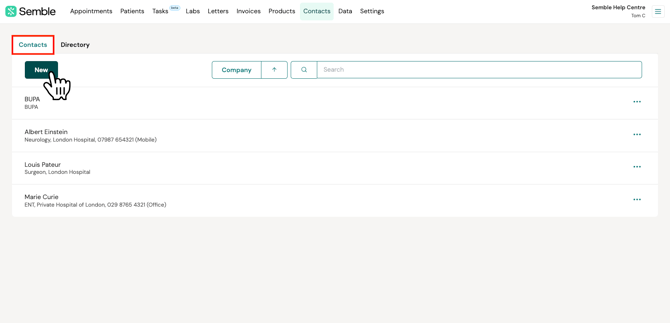
5. Enter the correct information for the new GP practice.
6. Click Save to finish creating your contact.
Click here for a further guide on creating a new contact.